
Adding a description
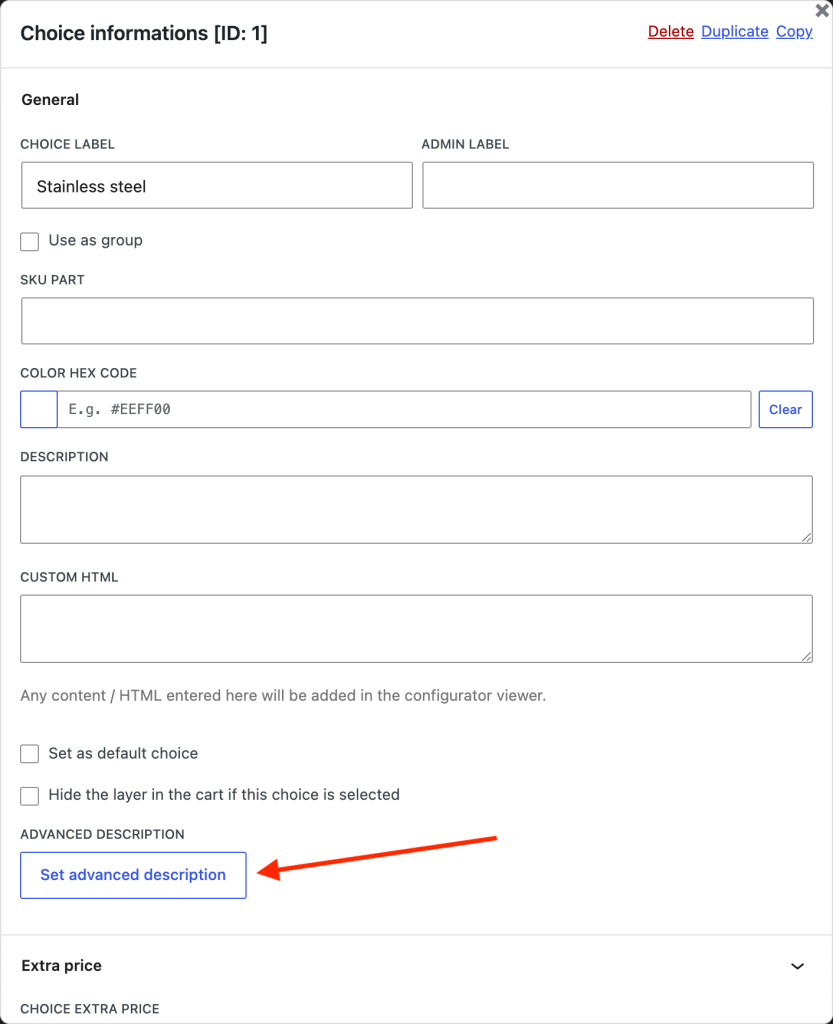
Advanced descriptions can be set on layers and on choices, using the same control in both places.
- Open the configurator,
- Select the layer or the choice you want to describe,
- In its settings, press Set advanced description,
- Write the content in the editor that opens,
- Save.
Once a description exists, the button becomes Edit advanced description.
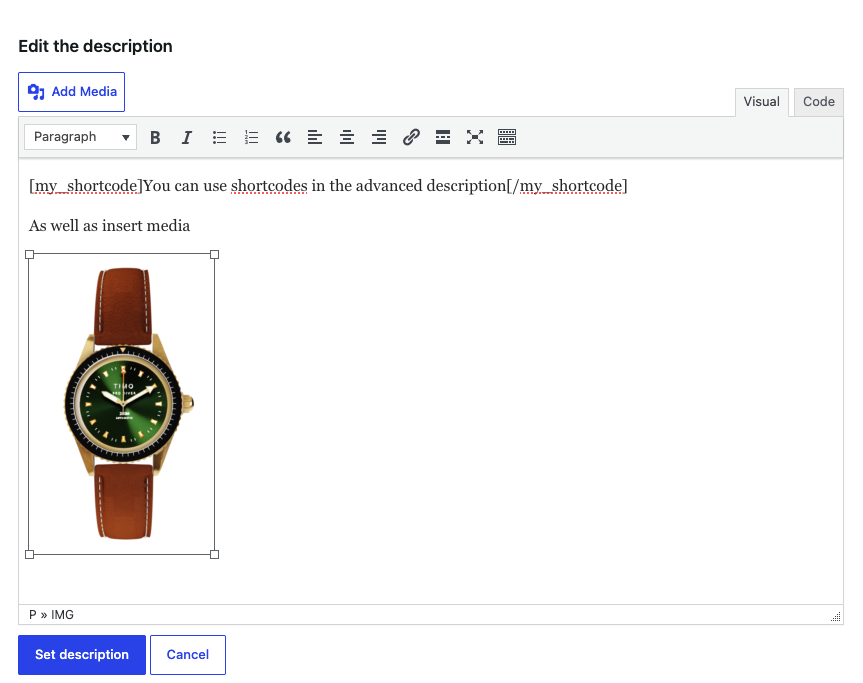
Use layer descriptions for guidance that applies to the whole question ("How to measure your window"), and choice descriptions for detail about one specific option ("Oiled oak — an untreated finish that develops a patina").
Display settings
The settings are in Product Configurator > Settings > Advanced description, and apply to the whole site.
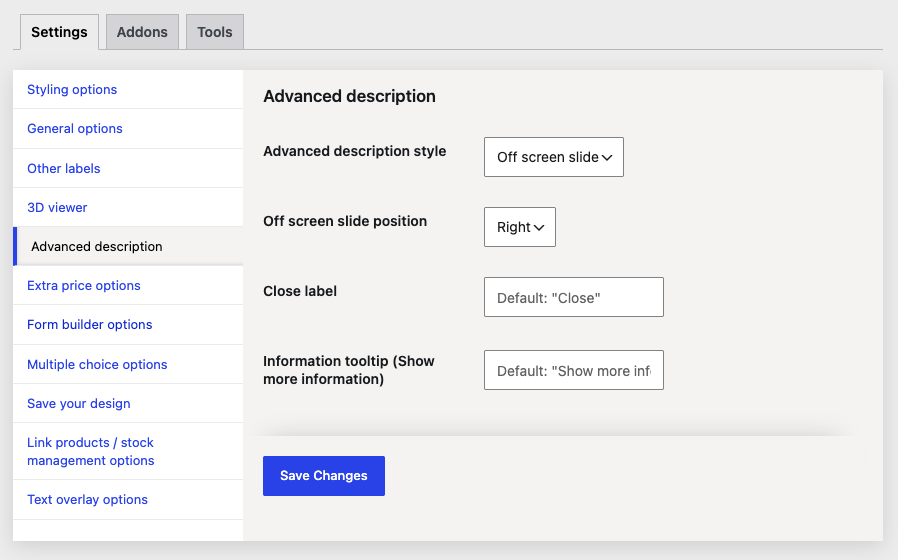
- Advanced description style
How the description opens. Off screen slide brings in a panel from the side of the screen; Modal window opens a centred dialog over the configurator. - Off screen slide position
Left or Right. Only applies when the style is set to Off screen slide. - Close label
The text on the button that closes the description. Defaults to "Close". - Information tooltip (Show more information)
The label on the control that opens the description. Defaults to "Show more information". This is what screen readers announce, so keep it descriptive.
Choosing a style
- Off screen slide keeps the product preview visible next to the description, which suits comparisons — the customer can read about a fabric while still seeing it applied.
- Modal window gives the content the full width of the screen, which suits longer descriptions with several images.
Both work on mobile; the slide panel takes the full width of small screens.